INTERFACE SHOWCASE
Visual & Intuitive UI
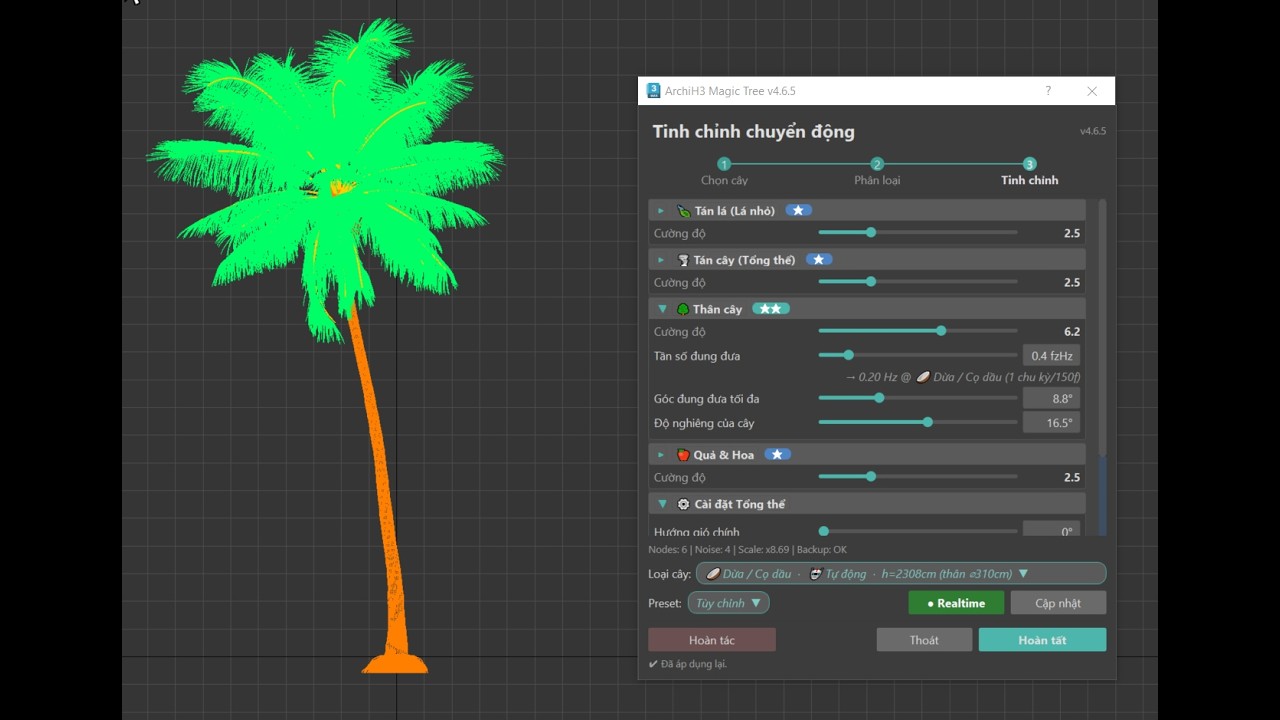
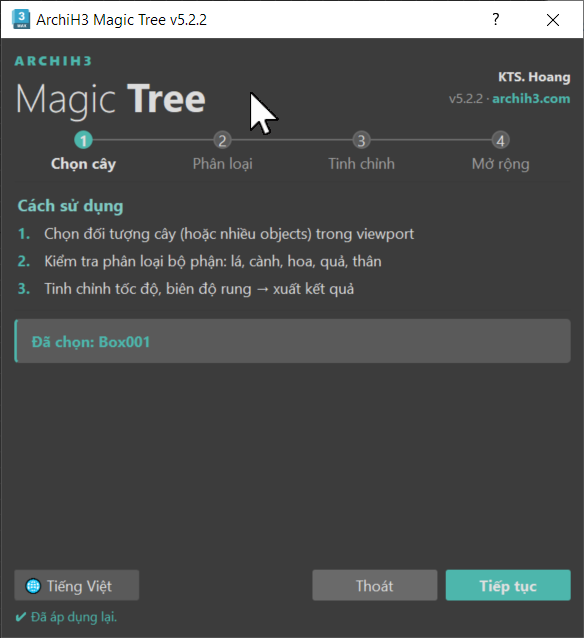
Real screenshot of the plugin user interface running natively inside 3ds Max.
Specialized plugin to generate realistic 4-layer wind simulations and automatic optimizations for 3ds Max vegetation. Deeply integrated with Corona/V-Ray proxies to completely eliminate viewport lag.
Fully automated pipelines to minimize manual tasks and maximize scene productivity.
Select any 3D plant models or V-Ray/Corona proxy objects directly in your 3ds Max viewports.
Click apply. Magic Tree automatically analyzes the structure, detects plant height, and applies the most optimized wind behavior.
Fine-tune wind directions, loops, and 13 detailed parameters with realtime updates, then render your wind-swayed animations.
Turn static forests into natural sways with just a few clicks, lightweight and extremely fast.
Simulates movements on 4 levels: leaf flutter, natural canopy twist, realistic trunk bending, and gentle fruit/flower swaying for the most realistic multi-dimensional motion.
Perfectly compatible with the most popular vegetation libraries such as Maxtree, Globe Plants, Chaos Cosmos, and any V-Ray or Corona proxies, allowing direct and fast workflows.
Zero manual setups required. Magic Tree automatically detects plant heights, optimizes proxies, and applies wind presets in seconds.
Generates unique random phase offsets per tree to avoid repetitive patterns in scattered forests. Fully supports clean Ctrl+Z undo actions to keep your scene completely safe.
Smart keyframe baking automatically optimizes modifier keyframes, keeping 3ds Max file sizes lightweight and maintaining fast render times.
Comes with built-in wind presets (Breeze, Medium, Storm) and 13+ advanced sliders to easily adjust, save, and manage custom wind behaviors.
Real screenshot of the plugin user interface running natively inside 3ds Max.
Magic Tree automatically analyzes plant structures and materials to apply the most natural wind behavior for each category.
| Plant Class | Representative Species | Wind Sway Behavior |
|---|---|---|
| SMALL | Lawn grass, moss, low groundcover wildflowers | High-frequency leaf flutter close to ground, flexible grass blade bending. |
| SHRUB | Low shrubs, garden roses, ornamental low plants | Gentle upper branch sways, sturdy root anchoring near the soil line. |
| TREE | Medium urban trees, public park shade trees | Balanced natural sway between main trunk deflection and foliage vibration. |
| BIG | Large heritage trees, giant banyans, ancient maples | Slow, majestic sways of heavy timber trunks, large branches waving. |
| PALM | Landscape palms, royal palms, cycads | Flexible fibrous trunk bending near the crown, long fronds whipping with low twisting. |
| COCONUT | Coconut palms, tall oil palms, coastal palms | Wavy trunk bending under heavy wind speeds, large palm fronds swaying rhythmically. |
Watch the detailed guide on installing and using Magic Tree to animate your scenes.
A single perpetual license tied securely to your computer hardware ID, providing unlimited usage.
Essential technical details for implementing the tool in commercial production.
The plugin supports 3ds Max 2023 up to 2027+. It automatically compiles and routes calls between .NET Framework 4.8 (for 3ds Max 2023-2025) and .NET 8 (for 3ds Max 2026+) based on host architecture.
No. Magic Tree automatically applies unique random phase offsets to each individual tree in the scene. Even if you scatter thousands of plants using Forest Pack or Chaos Scatter, they will sway out-of-phase dynamically instead of looking synchronized.
Not at all. Magic Tree features a strict safety layer: Multi-Materials and original coordinates of the proxies are 100% preserved. All actions support standard Ctrl+Z undo keys, returning the objects to their original proxy state without modifying the source files.