Multiple formats, one entry point
Supports .max, .fbx, .obj, .glb, .gltf, and .ply through the same queue workflow.
 MAGIC MERGER 2.x
3DS MAX · BATCH IMPORT & SMART RELINK
Drop models, archives, or entire folders into one queue. Preview, select, and press Batch — Magic Merger imports the selection and finds textures for each model.
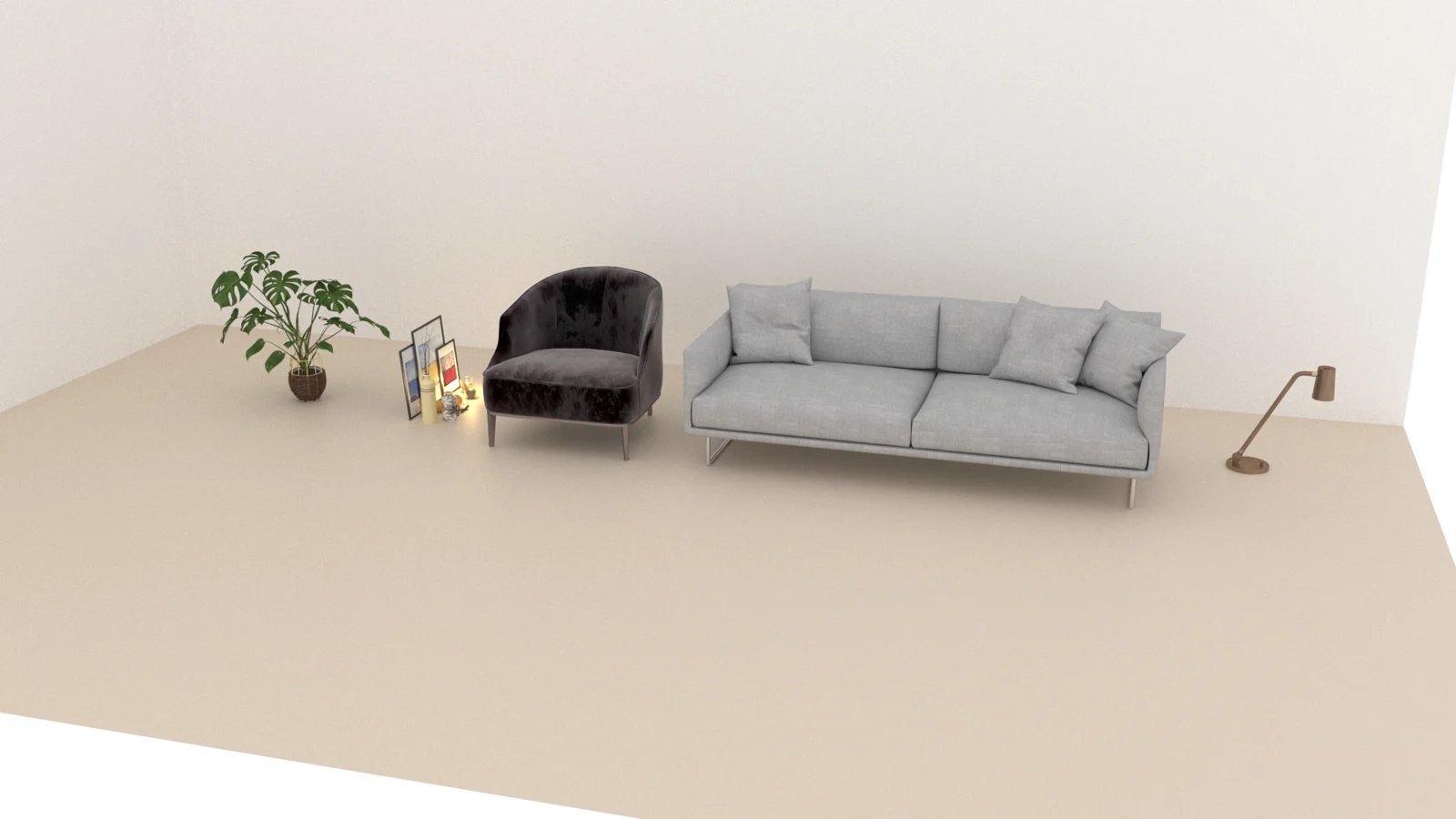
REAL WORKFLOW, REAL SCENE
Recorded with 5 .max models from 4 .rar archives and 1 folder in 3ds Max 2024, followed by a V-Ray test render. Timing depends on the assets and workstation.
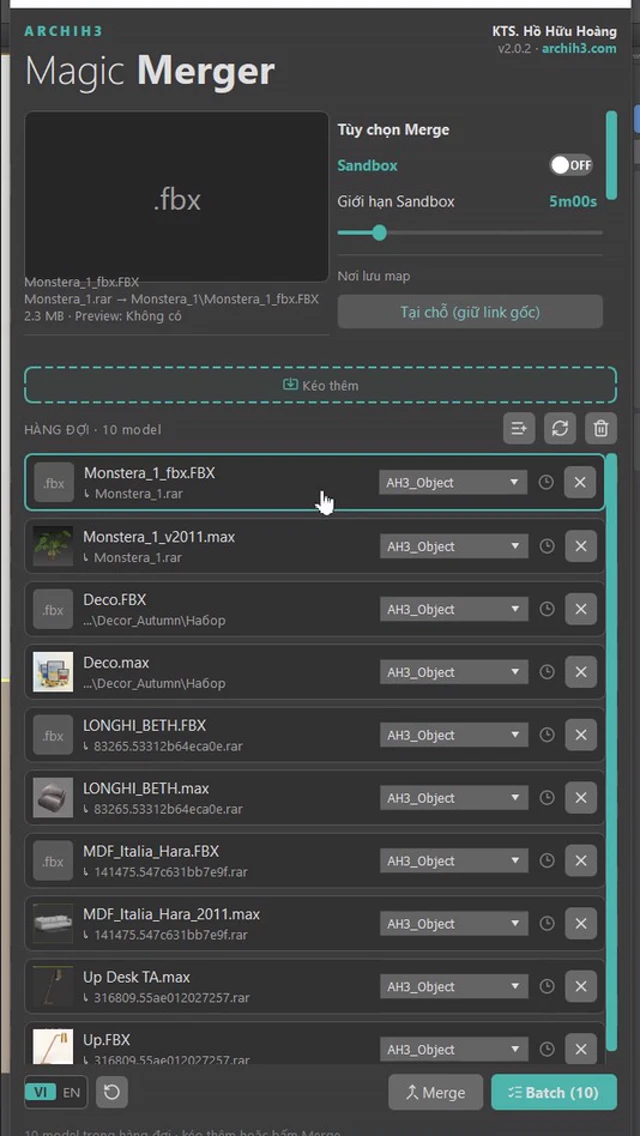
PREVIEW. SELECT. MERGE.
Add model files, archives, folders, or preview images. Drop more assets whenever you need to extend the list.
Inspect previews, choose models inside archives, and set layer, placement, and texture storage options.
Models are imported in sequence and textures are relinked. Review the summary, then continue building your scene.
BUILT FOR ARCHVIZ LIBRARIES
Supports .max, .fbx, .obj, .glb, .gltf, and .ply through the same queue workflow.
Add .zip, .rar, or .7z files, inspect previews, and choose models before importing, without manually extracting each package.
Smart Relink searches for textures and reconnects paths for the imported model, reducing manual map hunting.
Optionally place models alongside one another and assign separate layers for easier selection, visibility, and scene organization.
Keep maps in place or consolidate them in a destination folder, with options for handling duplicate texture names.
Save the queue as a named preset, then reload it to add to or replace the current list.
Smart Relink requires textures to exist in the source data or search library. It cannot recreate missing texture files.
INSTALL & UPDATE
The plugin runs inside 3ds Max on Windows. Model and texture processing is local; checking and downloading updates requires Internet access.
Download 2.x installer (.mzp) ↓Download and reinstall the .mzp once to move to 2.x. Afterwards, follow the update notifications in the plugin.
LIFETIME LICENSE
300.000đ 150.000đ300.000đ / lifetime
150k applies to people who like the Magic Merger introduction post in Group Phần Mềm Kiến Trúc, October 16–22, 2026. Message ArchiH3 on Facebook for confirmation.
One key for one computer. Free lifetime version updates under the license policy.
Get your license →500.000đ 350.000đ500.000đ / lifetime
Magic Material and Magic Merger: two standalone plugins in one combo.
350k requires the same Like eligibility and October 16–22, 2026 dates. The trio including ReBake is 450k.
Explore combos →The installer is publicly downloadable; using the plugin requires a license key.