PLUGIN FOR AUTODESK 3DS MAX

You design.
AI handles the rest.

I used to spend hours every day just switching tabs, copy-pasting, and diving through asset libraries. AH3 Hub was born to end that tedious loop — putting 10+ AI tools right inside your 3ds Max workspace.

v1.8.x · 3ds Max 2023-2027+ · Windows 10/11
Actively developed · AI Studio v2.x

AI i2Asset — Drop an image, get 3D assets back

No keywords, no folder diving, no trial and error. Watch 4 real-world scenarios.

Born from frustration

Before, every time I opened 3ds Max, I needed 5–6 browser tabs alongside: one for image gen, one for finding models, one for downloading textures... My design flow kept getting interrupted by constant tab-switching, extremely annoying. That's when I thought: Why not bundle everything and put it right inside 3ds Max?

After 2000+ hours of coding and 100+ updates, AH3 Hub was born — and it's still being improved every day.

4 steps — from idea to final product

AH3 Hub isn't just a collection of separate tools. It's a complete pipeline that supports you throughout the entire design process.

01

Concept

AI-DRIVEN

Brainstorm ideas, create moodboards and define design styles in seconds.

T2-ImageI2-ImageFlow
02

Asset

AI-ASSISTED

AI finds similar assets, generates 3D models from photos, creates PBR materials. You curate and arrange.

I2-AssetI2-3DI2-Material
03

Rendering

HUMAN-CENTRIC

Corona/V-Ray still lead. AI-Assist acts as your virtual assistant — answering questions, advising, automating repetitive tasks.

AI-Assist (Virtual assistant)Corona / V-Ray
04

Motion & Post

AI-ENHANCED

Upscale renders, enhance textures, create professional videos from still images.

UpscaleFlow (Video)Optimize Material

Not just a plugin — it's a full studio

Each module solves a real pain point. From speaking Vietnamese to have AI draw for you, to generating materials from a single photo — all inside 3ds Max, without leaving your viewport.

🤖

AI-Assist

Speak or type — AI writes the command, runs it and self-corrects until done.

Details ↓
🎨

Text-to-Image

Describe in text — AI creates concept art, textures and perspectives in seconds.

Details ↓

Image-to-Image

Feed a render in and tell AI to transform it — style, greenery, lighting.

Details ↓
🧊

Image-to-3D

From a single reference photo to a 3D model placed right in your scene.

Details ↓
🪨

Material Generator

Photograph any surface — get a full PBR set assigned to your object.

Details ↓
🔍

Image-to-Asset

Find textures, models and HDRIs by image — your library + 15,500 Cosmos assets.

Details ↓
AI-Assist · AH3 Hub
You > _

AH3 > Processing...
Found 12 Box objects
Renaming...
✔ Successfully renamed 12 objects

You > Create wood material for all

// AI STUDIO

You just speak.
AI does the rest.

Imagine saying 'rename all objects', 'create 100 random trees', or 'apply wood material to walls' — and it just happens in your scene. No coding needed. No button hunting. AI understands Vietnamese, writes commands, tests them, and self-corrects if wrong — repeating until it's right.

  • Type or speak — Vietnamese voice input supported
  • Choose speed: fast, thoughtful, or deep analysis
  • Self-corrects up to 60 times — more patient than anyone
  • Scan scenes, select objects, convert images to line art
  • Learns from past errors to get smarter next time

ℹ️ When publishing AI output on social media or public projects, you are responsible for disclosing AI-generated content per applicable law.

// IMAGE-TO-3D

Feed a photo.
Get a 3D model back.

Client sends a reference photo of a chair and wants it exactly? Instead of painstakingly modeling or searching through libraries, just feed the photo to AH3 Hub — AI rebuilds the 3D model, optimizes the mesh, bakes textures and places it right into your scene.
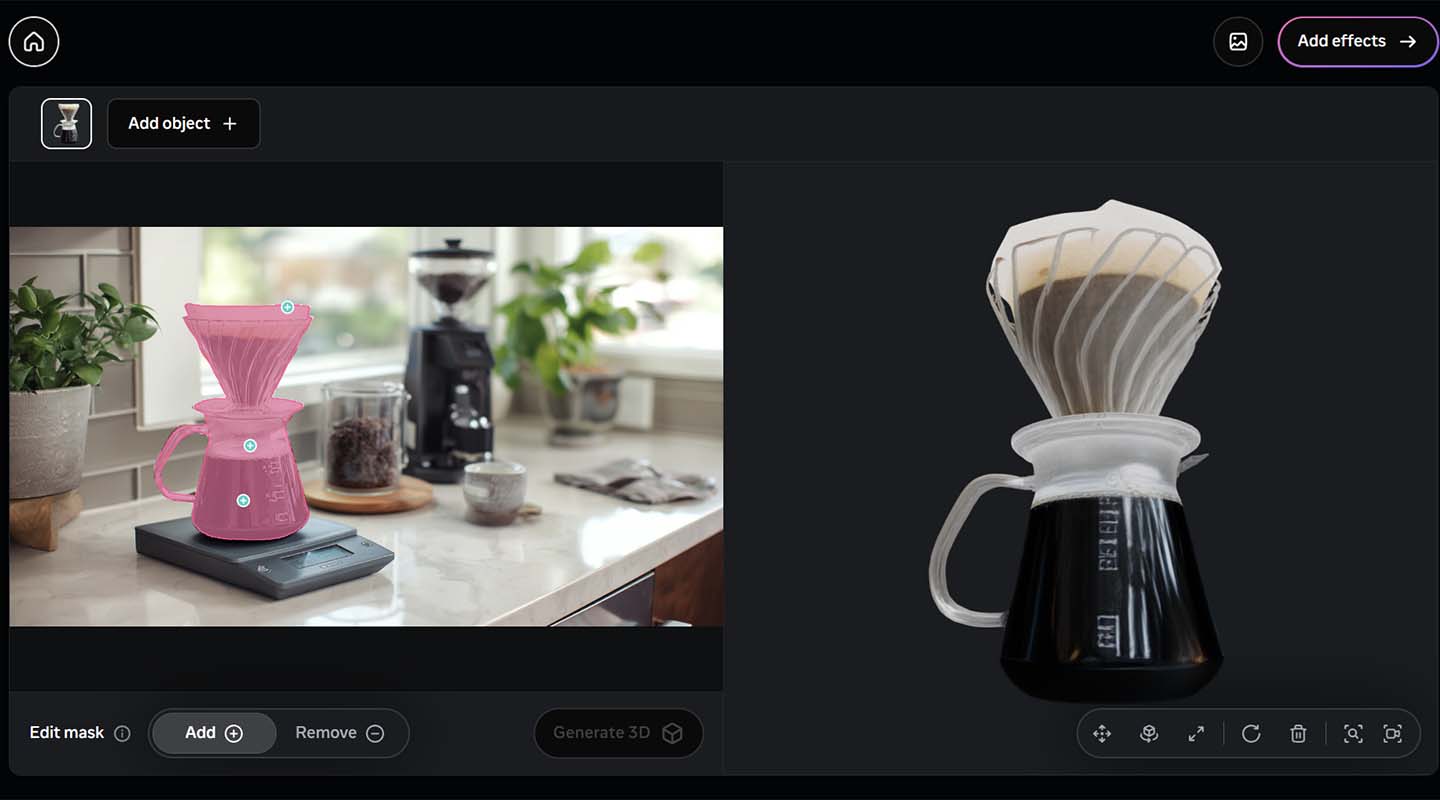
  • Photo → 3D model via Meta SAM 3D — right inside 3ds Max
  • Auto Mesh — optimize topology, smart polygon reduction
  • Bake Texture — transfer details from high-poly to low-poly
  • Optimize MTL — upscale texture 4x + create Corona/V-Ray material
Image-to-3D Demo
After
Before

// TEXT-TO-IMAGE · IMAGE-TO-IMAGE

Describe in text. Feed an image.
AI renders for you.

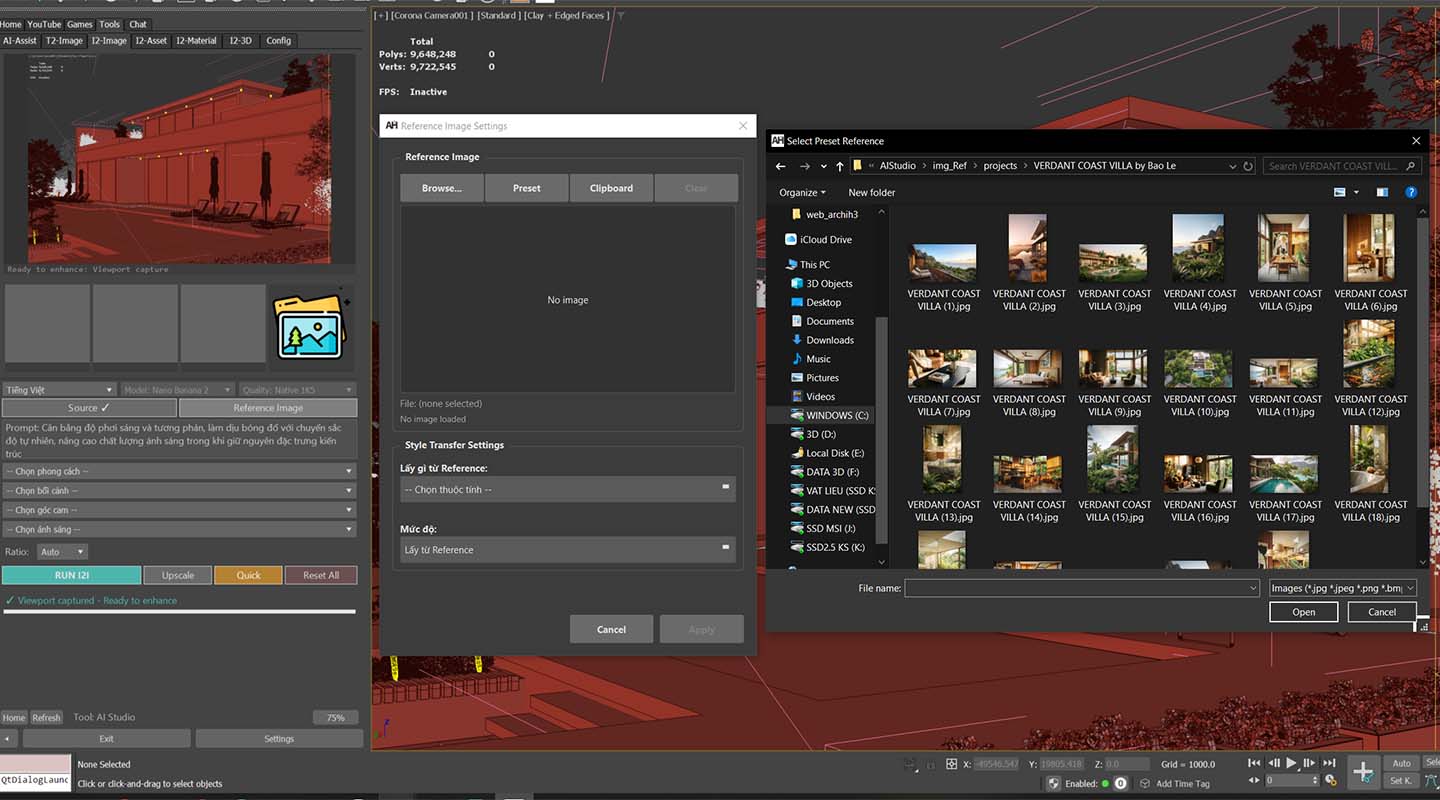
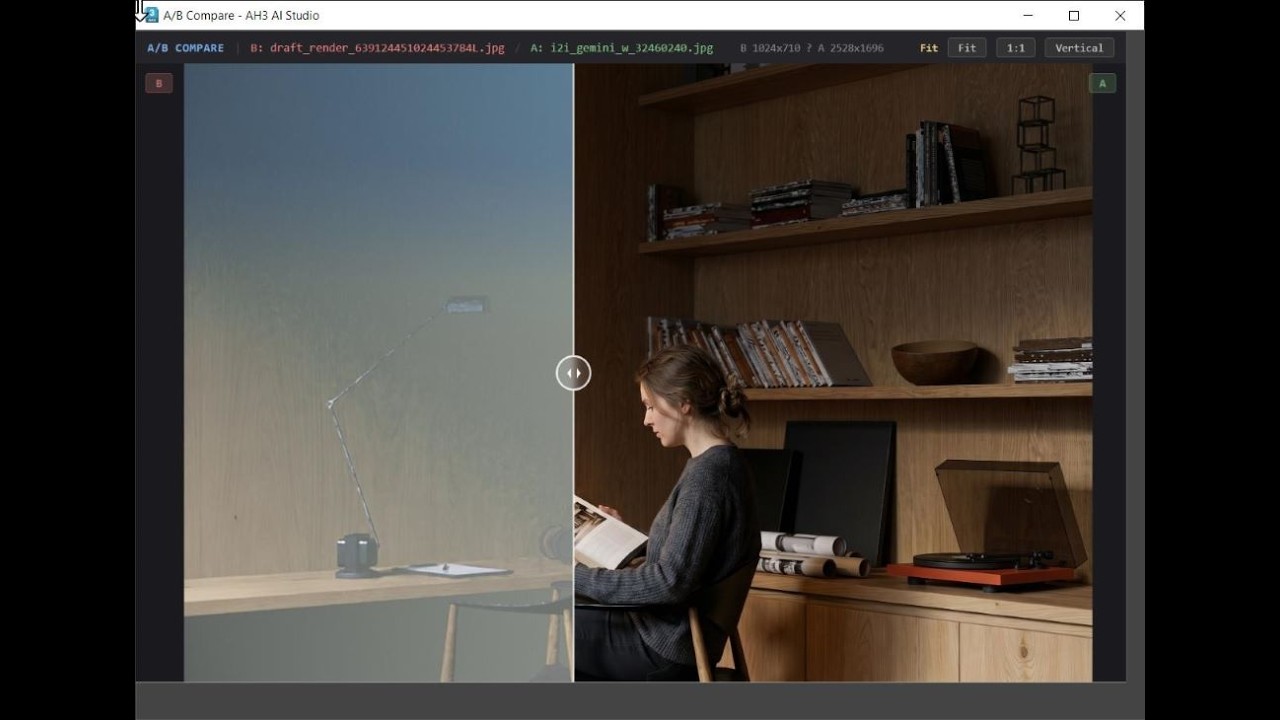
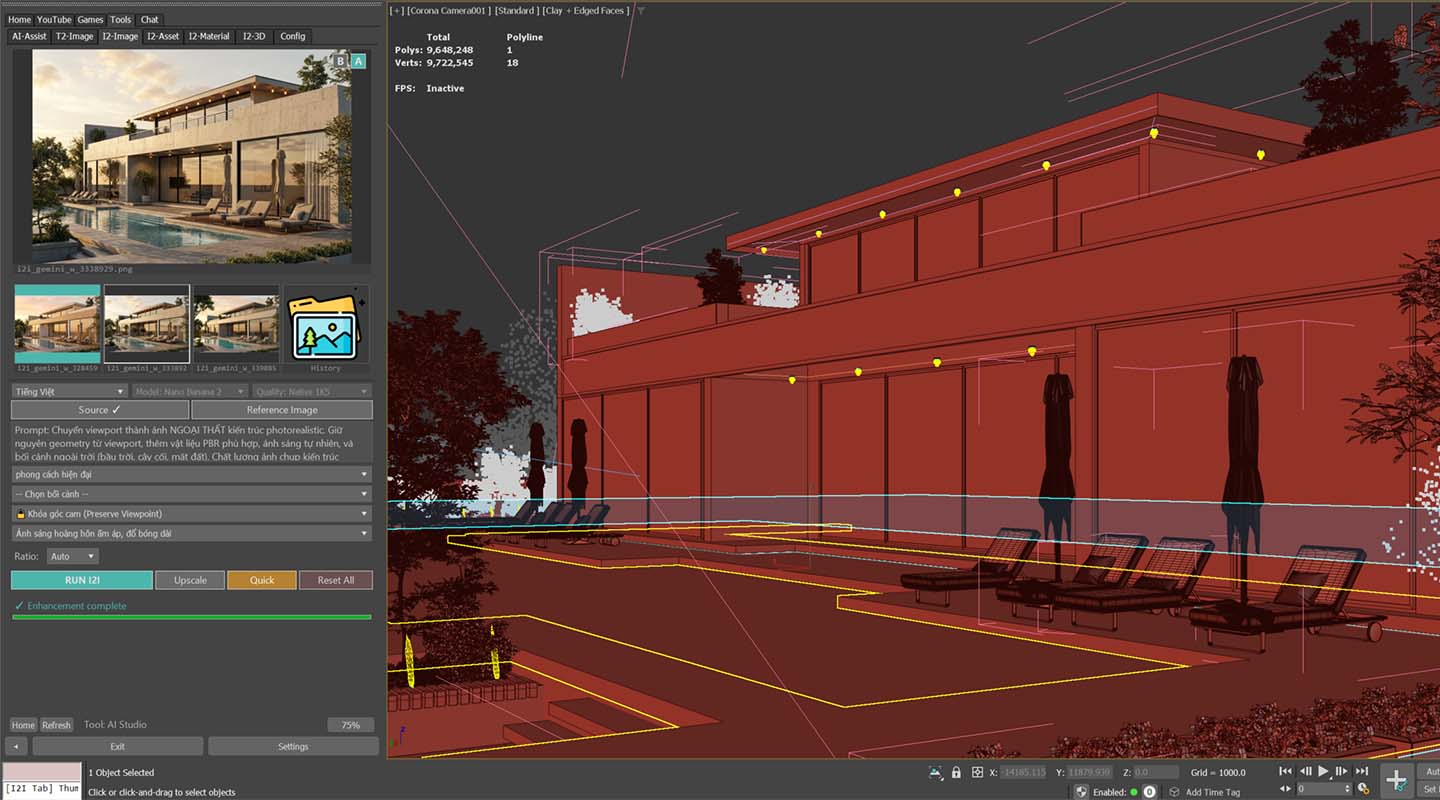
Need concept art for tomorrow's presentation? Describe in text — AI draws it instantly. Have a render that's not right? Feed it in and tell AI to transform — change style, add greenery, switch to sunset, turn sketches into photorealistic renders. From idea to image in seconds — right inside 3ds Max.

  • Create concept art, textures, interior perspectives from prompts
  • Transform renders — change style, lighting, weather
  • Dual-image: combine 2 images for style transfer
  • Seed — keep favorites, reproduce anytime
  • Upscale 4x (Real-ESRGAN) — print large without pixelation
  • Nano Banana Ultra (Google Gemini) — AI upscale up to 8K
  • Flexible sources: file, viewport, clipboard

// IMAGE-TO-ASSET

Find assets by sight.
No filenames needed.

Have a beautiful render and want to find that exact texture in your thousands of GBs of assets? Need a similar model but can't remember where? Drop the image into I2A — AI scans your entire personal library and 15,500 Chaos Cosmos assets, returning results in seconds.
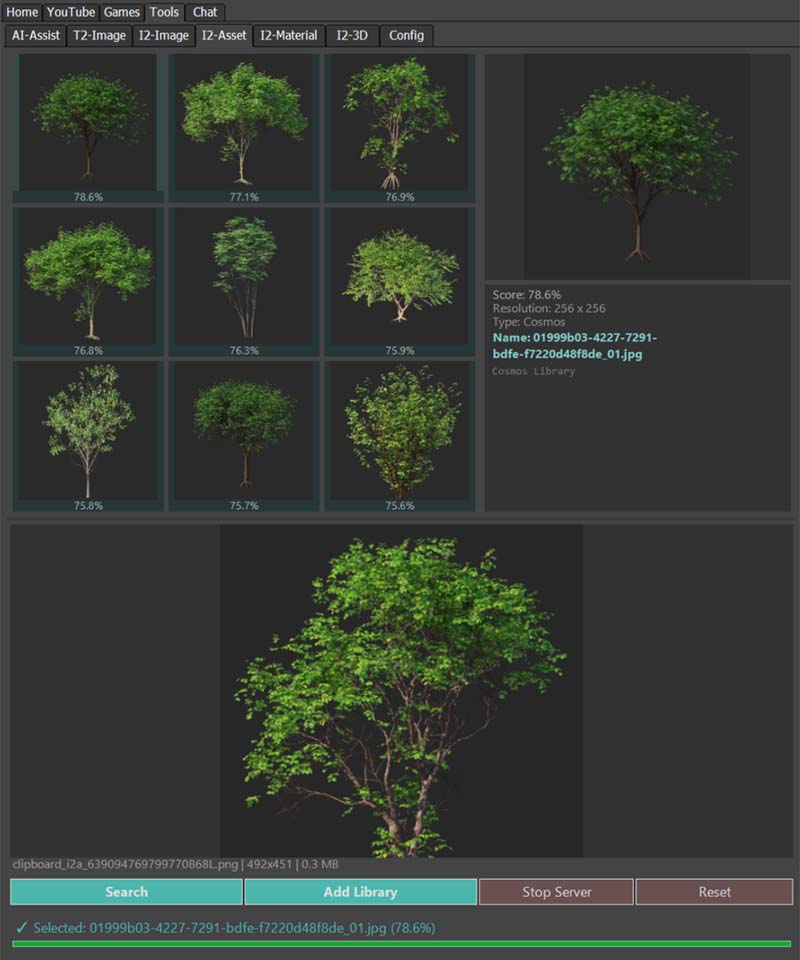
  • Lightning-fast search for textures, models, scenes and HDRI — from just one image
  • Drop a folder in — auto-index your entire personal library
  • Search inside .zip/.rar/.7z archives — no extraction needed
  • Right-click results → Create Bitmap or Material instantly
  • 15,500 Chaos Cosmos assets online — import directly into scene
  • Smart Merge — pull models into scene, auto-find and relink textures
  • Apply HDRI directly — supports V-Ray, Corona and Standard
I2A Visual Search Demo
Quick Render Demo

// QUICK RENDERNEW

Quick render.
AI finishes the rest.

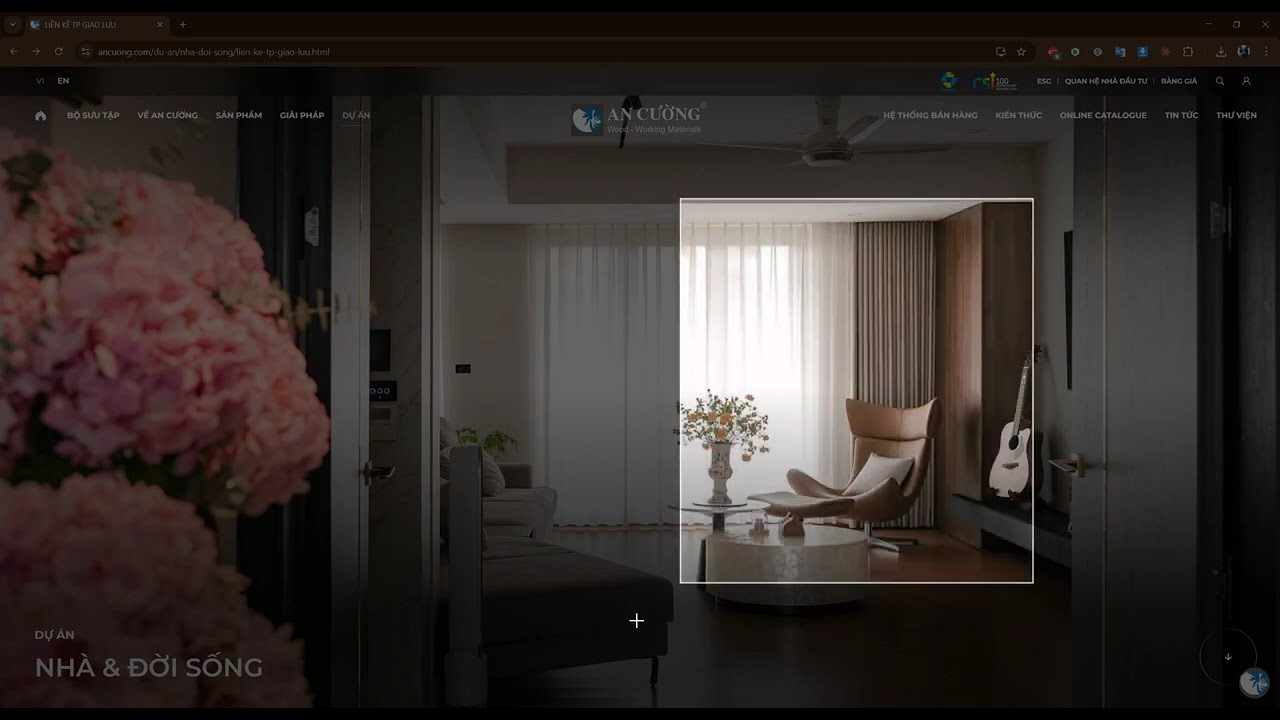
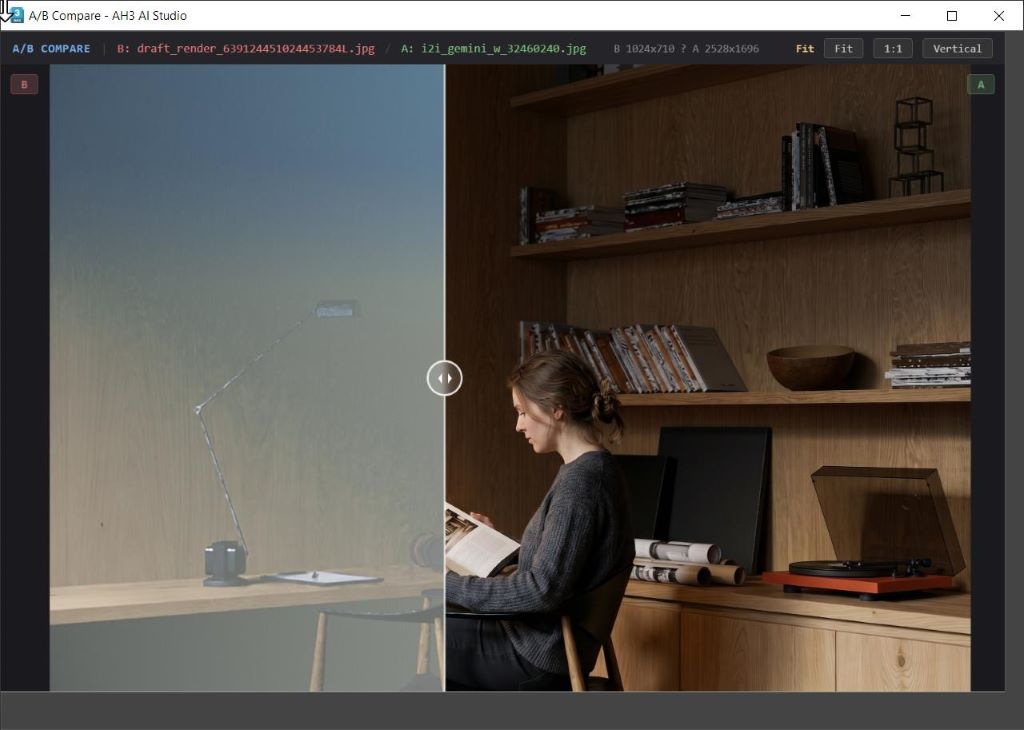
No more 30-minute renders just to check if your composition works. Ctrl+Click the Quick button — a fast draft in 1-5 minutes (fully respecting your settings), then AI finishes it into a photoreal image. Add a line of text to include people, greenery, furniture — AI follows your request precisely, no silent drops.
  • Fast draft render — respects your denoise/filter/lighting settings
  • Leaves environment map untouched if already set up
  • Add final details: people, vehicles, plants, accessories
  • Live progress tracking — always know what Max is doing
  • Supports Corona Renderer
Material Generator Demo

// MATERIAL GENERATOR

One photo.
A full PBR material set.

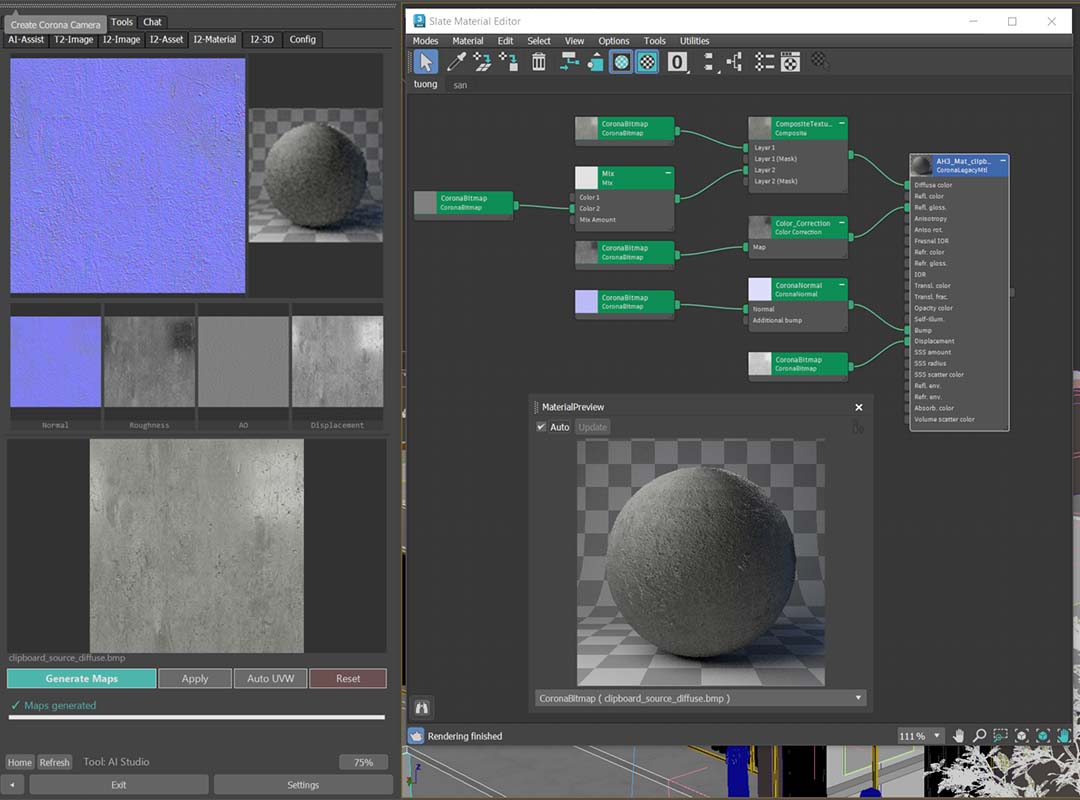
Spot a beautiful brick on site? Snap a photo, drop it into AH3 Hub — AI instantly generates a complete PBR texture set and applies it directly to objects in your scene. No downloading textures, no manual map tweaking.

  • Generate 4 maps: Normal, Displacement, Roughness, AO
  • Smart PBR — drop library textures in, auto-detect existing map sets
  • Auto-create Corona or V-Ray material — apply to objects instantly
  • Photograph any surface: wood, stone, brick, concrete, metal
  • Auto UVW — auto-calculate texture size in real-world units

Behind AH3 Hub

H

Hồ Hữu Hoàng

Architect · 3ds Max Plugin Developer

I'm an architect, and I use 3ds Max every day. AH3 Hub isn't a startup — it started from the frustration of too many repetitive tasks. 9 months, 2000+ hours of code, 100+ updates later, it became the tool I can't live without — and I want to share it.

200K+
Lines of code
2000+
Hours of development
10+
AI technologies integrated
100+
Updates released

What hardware do you need?

AH3 Hub runs on most modern designer/architect machines. AI features require an NVIDIA GPU — minimum and recommended specs below.

MIN

Minimum

  • NVIDIA GPU 8 GB+ VRAM (RTX 3060 / 4060)
  • 16 GB+ RAM
  • 3ds Max 2023-2027+
  • Windows 10 (64-bit)
  • Internet (for AI cloud)
RECOMMENDED

Recommended

  • NVIDIA GPU 12 GB VRAM (RTX 3080 / 4070)
  • 32 GB RAM
  • 3ds Max 2024+ (best performance)
  • Windows 11 (64-bit)
  • Stable internet

ℹ️ GPUs below 8 GB VRAM can still use non-AI modules (Tools, YouTube, Games, Chat)

One Pro plan — everything included.

The Free tier is paused while v2.0 is in the works (expected September 2026). For now: get v1.8 by contacting the author, or unlock everything right away with Pro.

V2.0 COMING

AH3 Hub v2.0

Upgrading...
Expected release: September 2026
  • Text-to-Image — generate from text
  • Image-to-Image — transform images
  • Image-to-3D — photo to model
  • Material Generator — create PBR maps
  • Image-to-Asset — find assets
  • YouTube, Games, Chat, Tools
  • AI-Assist (limited)
  • Latest Nano Banana model (Google Gemini)

ℹ️ System upgrading: Free registration is paused while v2.0 (September 2026) with a new-generation AI engine is in the works. Follow Facebook or YouTube to be notified at release.

Teaser v2.0
PURCHASE & LICENSE

How to buy & license policy

3 steps to purchase

  1. Message the author on Facebook or by email with the plugin name you want.
  2. Pay by bank transfer following the instructions you receive.
  3. Receive the installer and activation key via Facebook / Email.

License policy

  • Annual subscription — all AI cloud costs included, no hidden fees.
  • Cancel anytime — access continues until the end of the paid period.
  • 100% refund within 7 days if no Pro feature has been used.
  • Updates and direct author support for the whole subscription period.
AH3 Hub Pro9.999.999đ/nămBuy now

Frequently asked questions

Most common questions from users. Other questions? Email the author.

Will it run on weaker GPU (4 GB)?

Yes. AH3 Hub installs and runs fine. Non-AI modules (YouTube, Games, Tools, Chat) work fully. Local AI features need 8 GB+ VRAM — use cloud features in Pro tier as alternative.

Do I need internet for AI?

Not required. Local AI runs fully offline on your machine. Internet is only needed for initial model download (~5-15 GB depending on tier) and Pro cloud features.

Can I cancel Pro? Refund?

Yes. Cancel anytime — Pro stays active until end of billing cycle. 100% refund within 7 days if no Pro feature has been used.

Does AI output infringe copyright?

Output belongs to you per model terms. However, you are responsible for reviewing results before use — AI may inadvertently produce content similar to existing copyrighted works. Review before publishing is recommended.

Will updates erase my data?

No. Hub's auto-update system never erases user data. Settings, prompt history, cache, license all persist across updates.

Which OS & Render Engines supported?

Windows 10/11 only (3ds Max doesn't run on Mac). Fully compatible with Corona Renderer and V-Ray for 3ds Max 2023-2027+.

Other questions? Email hohuuhoang@archih3.com

The next chapter is yours

Installs in 2 minutes. Get v1.8 by contacting the author, or unlock every AI feature with Pro — upgrade anytime.

↓ Contact to Download v1.8.x
$ Run AH3_Hub_Setup.exe → Select Max version → Done

⚠️ Windows may warn because the installer is not code-signed yet — the file is safe, feel free to scan it first. Click More info → Run anyway
3ds Max 2023-2027+NVIDIA GPU 8GB+ VRAMWindows 10/11Internet connection